

Where Zoom wins
- Built for scheduled meetings, webinars and big group sessions.
- Hosts and guests can use it in a browser with no download, through the Zoom Web App.
- Zoom Scheduler can take payment for booked appointments through Stripe in some countries.
Where hello.fan wins
- No meeting to set up: fans see who's online and tap to call by video, voice or chat.
- Billing per started 15 seconds, only while both people are connected; ringing is free.
- Creators set their own price from 50 to 5,000 credits a minute and keep up to 70%.
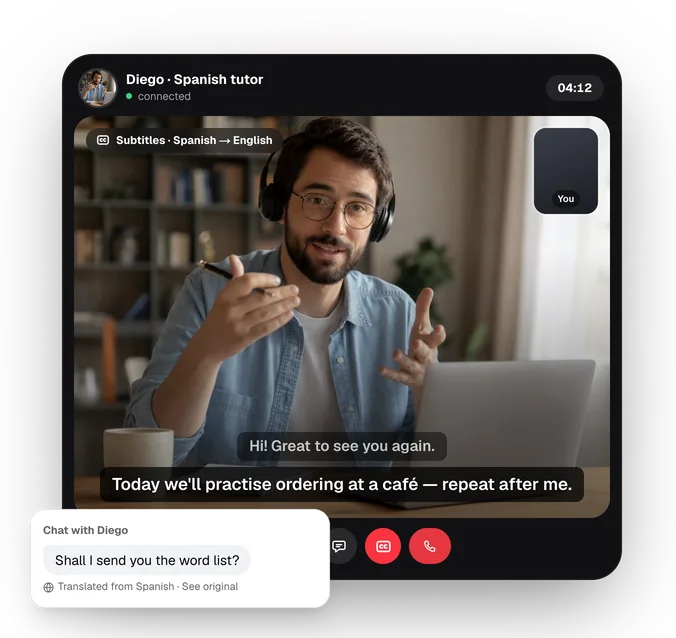
- Live translated subtitles in 30 languages on calls.
What is the best Zoom alternative for paid one-to-one calls?
Zoom is excellent at meetings, but a paid one-to-one call through Zoom often means three steps: a booking page, a payment and a meeting link sent ahead of time. Zoom Scheduler can combine the first two through Stripe in some countries, at a fixed price per booking.
A per-minute platform removes the steps. On hello.fan, a fan opens a creator's page, sees their topics, languages and prices, and taps call. The clock starts once both people are connected, billing runs per started 15 seconds, and either side can hang up at any time.
- Separate prices for video, voice and chat, from 50 to 5,000 credits a minute.
- Working hours switch you online and offline automatically.
- Booked and weekly sessions are paid up front, for your regulars.
If your sessions are always an hour at a set price, Zoom with a booking page is fine. If calls vary in length, hello.fan is the better Zoom alternative for paid one-to-one calls. More on that in our paid video calls guide.
Does Zoom pay you for calls the way hello.fan does?
No. Zoom is a tool you use, not a marketplace that brings you callers or pays you for minutes. If you charge for Zoom sessions, you collect the money yourself, through Zoom Scheduler and Stripe where that's available or through another payment tool, and fans have to find you some other way.
hello.fan handles both sides. Fans find creators by topic and language and heart them to get an alert when they come online. Creators keep up to 70% of what fans pay: 60%, or 70% with a linked store.fan shop on a paid plan. Payouts go to the creator's bank through Stripe from $100, after a quick ID check, and each earning is ready 14 days after it's made.
On hello.fan nothing is recorded, and every call has block and report. Want the money side in detail? Read how to get paid to video chat or the creator guide.
The verdict
Frequently asked questions
Can I use Zoom without downloading the app?
Yes. Zoom says its Web App lets you schedule, host and join meetings in a browser with no downloads or plugins, and you don't need to sign in just to join. hello.fan also works in any browser with no download.
Does Zoom have translated captions?
Yes, on some plans. Zoom lists translated captions with certain Zoom Workplace plans or as an add-on, so check their current terms. On hello.fan, calls have live translated subtitles in 30 languages, and chat translates itself.
Is hello.fan good for group classes?
No, and we'd rather say so. hello.fan is built for one-to-one video, voice and chat, so Zoom or Google Meet fits group classes and webinars better. hello.fan's private rooms are one flat price paid by the host, with a guest joining by link or 5-digit code.
Zoom details checked on its official pages in October 2026; services change — check their current terms.
Published by Premiums Only LLC, the company behind hello.fan and store.fan. We recommend our own platforms — and say when another kind of tool fits you better. How we write.