
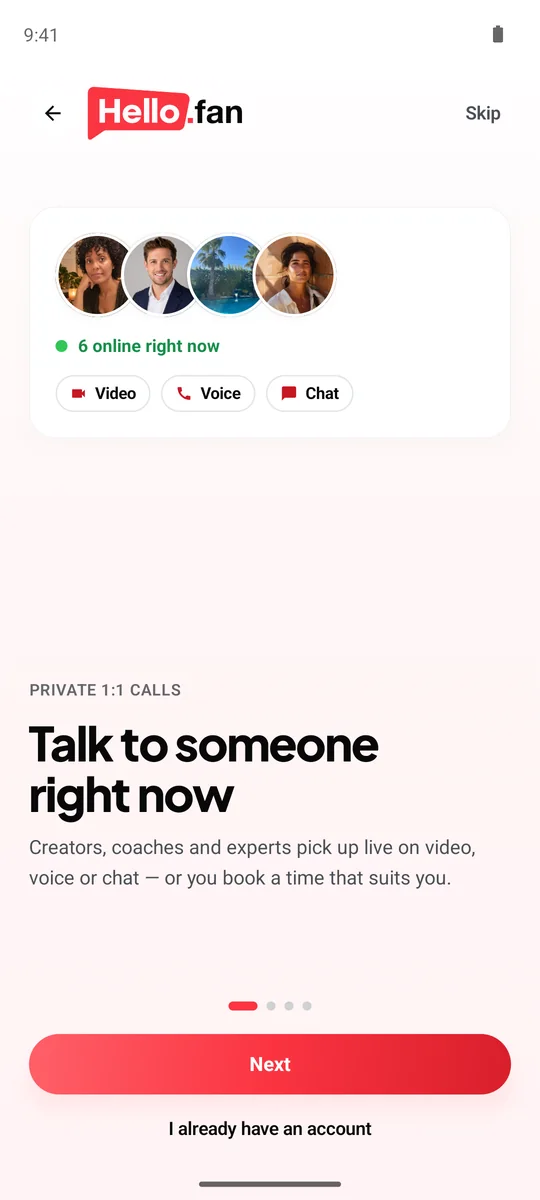
App or Chrome: which is better for video chat on Android?
Both work, and neither locks you in. The choice comes down to how often you call and how you like to be reached.
- The app rings like a phone call. If you have regular sessions with a tutor or coach, or you heart creators and want to be ready when they come online, ringing makes the call hard to miss. It also sits on your home screen, one tap away.
- Chrome needs nothing installed. It's the easy choice when your storage is full, the phone is shared, or you're trying hello.fan for the first time.
Whichever you pick, a video chat on Android gets the full set: video, voice and chat, 21 free camera filters, live translated subtitles in 30 languages and chat that translates itself. You can start in Chrome today and move to the app later.
Booked sessions inside a creator's hours are paid up front, and weekly sessions repeat at the same time every week, which is where a ringing app really earns its place. For the bigger picture of calls, prices and credits, read the fan guide to hello.fan.
How do you set up the hello.fan Android app?
The app is on Google Play. Search for hello.fan, or go straight to hello.fan on Google Play, install it and sign up free with Google, Apple or e-mail.
When you open it the first time, Android asks for a few permissions. Each one has a job:
- Camera so the other person can see you on a video call.
- Microphone so they can hear you on video and voice calls.
- Notifications so alerts and calls can reach you, including the alert when a creator you hearted comes online.
If calls don't ring, check three things in your phone's settings:
- Notifications are allowed for hello.fan.
- Do Not Disturb isn't silencing it.
- Battery saving isn't putting the app to sleep in the background.
Once that's set, the app behaves like a phone: it rings, you answer, and you're on a 1:1 call. Ringing is free, and you pay per started 15 seconds only while you're both connected.

Can you video chat in Chrome on Android with no download?
Yes. If you'd rather not install anything, open Chrome and go to hello.fan. Browse who is online, choose video, voice or chat, and call. The first time, Chrome asks whether hello.fan may use your camera and microphone. Tap Allow.
If you tapped Block, or the camera doesn't start:
- Tap the icon to the left of the address bar, open Permissions, and turn on Camera and Microphone for hello.fan.
- Check that Chrome itself has camera and microphone access in your phone's app settings.
- Close any other app that might be using the camera, then reload the page.
Keep Chrome in front during the call. If you switch to another app, the browser may pause your camera until you come back, which is one reason regular callers end up preferring the app.
Chrome works the same way on a laptop and on an iPhone, so you can call from whichever device is closest. Our Chrome video chat guide covers more fixes for a blocked camera or microphone.
Why choose hello.fan over random video chat Android apps?
Search Google Play for random video chat Android apps and you'll find plenty that pair you with a stranger at the tap of a button. hello.fan is a different thing, and we'd rather be clear about it: there's no random matching, and it isn't roulette.
On hello.fan you choose whom to call. The people are real creators, coaches, tutors and experts who chose to be online and talk with fans. Each page shows their topics, languages and what a minute of video, voice or chat costs. You call the one that fits what you want, whether that's practicing a language, a guitar question or advice before a job interview.
- Creators can earn a Verified badge after an ID check.
- Everyone is 18+, with no adult content, ever.
- Nothing is recorded, and your phone number stays private.
- Block and report are built into every call.
If a quick, anonymous chat with whoever comes next is what you want, a random chat app fits that better. Otherwise, see hello.fan safety or our random video chat page.
hello.fan vs random chat apps
| hello.fan | Random chat apps | |
|---|---|---|
| Who you talk to | A creator, coach, tutor or expert you choose | Whoever the app pairs you with |
| What you see first | Topics, languages and per-minute price | Little or nothing before the match |
| Who is there | Adults 18+; creators can be Verified after an ID check | Depends on the app's rules |
| Recording and privacy | Nothing recorded; your phone number stays private | Depends on the app |
| Best for | A real conversation with someone you picked | Quick, anonymous chats with whoever comes next |
How to start
- Choose the app or Chrome. Install hello.fan from Google Play, or open hello.fan in Chrome with nothing to download.
- Allow camera and microphone. Let hello.fan use both, and in the app allow notifications so alerts and calls reach you.
- Call someone online. Pick a creator who is online, choose video, voice or chat, and call; ringing is free.
Frequently asked questions
Where do I get the hello.fan Android app?
On Google Play. Search for hello.fan or use the Google Play link on this page, install it and sign up free with Google, Apple or e-mail. The Android app rings like a phone call.
Do I need the app to video chat on Android?
No. hello.fan works in Chrome on Android with no download, and calls work the same way. The app adds ringing like a phone call, which helps if you call often or have regular sessions.
Why doesn't the hello.fan app ring?
Check that notifications are allowed for hello.fan in your phone's settings, that Do Not Disturb isn't on, and that battery saving isn't restricting the app in the background. Then open the app once to make sure you're signed in.
Is hello.fan a random video chat for Android?
No. hello.fan doesn't match you at random. You see who is online, with their topics, languages and prices, and you choose a real creator, coach, tutor or expert to call 1:1.
Can I call a creator who uses an iPhone?
Yes. On an iPhone, hello.fan works in Safari or Chrome, no app needed, and the iOS app is on its way. It's the same service, so you can share one call from the Android app or Chrome.
Published by Premiums Only LLC, the company behind hello.fan and store.fan. We recommend our own platforms — and say when another kind of tool fits you better. How we write.